
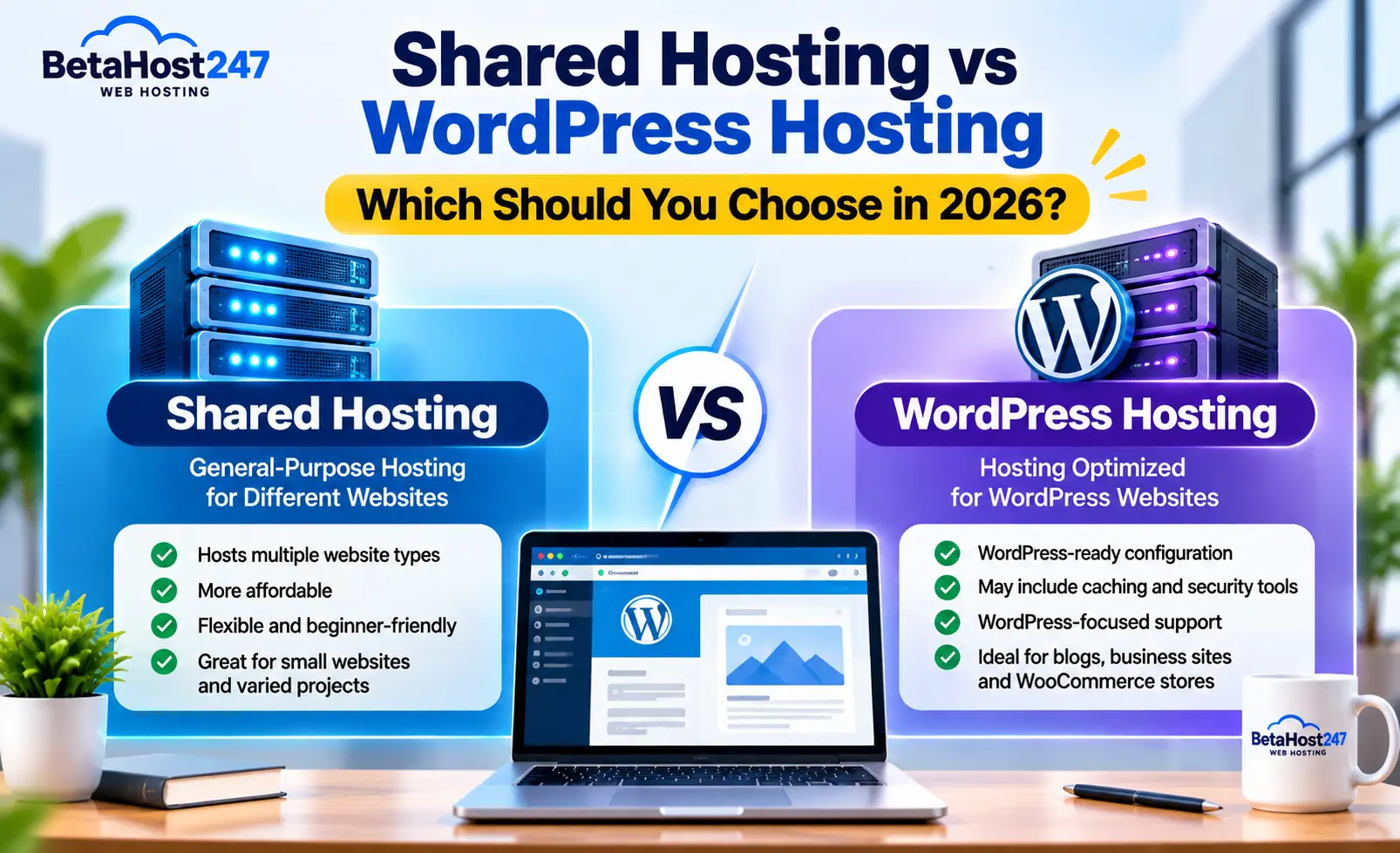
Shared Hosting vs WordPress Hosting: Which Should You Choose in 2026?
Choosing the right hosting plan is one of the most important decisions you’ll make when creating a website.
Two popular options are shared hosting and WordPress hosting. Although both can run WordPress websites, they aren’t necessarily designed or managed in the same way.
If you’re planning to launch a business website, personal blog, online store or company website in Nigeria, understanding the differences can help you avoid unnecessary expenses and performance problems.
The short answer: Shared hosting is a general-purpose hosting service that accommodates different website technologies. WordPress hosting is designed or packaged specifically for WordPress websites, sometimes with additional optimization, security, management or support features.
However, WordPress hosting isn’t automatically faster or more secure. The actual difference depends on the provider and the resources included in each plan.
Let’s compare both options.
What Is Shared Hosting?
Shared hosting is a web hosting service where multiple customer accounts share the resources of a physical server.
The hosting provider manages the server infrastructure, while individual customers manage their websites through a hosting control panel such as cPanel.
Shared hosting can support different types of websites, including:
- HTML and CSS websites
- WordPress blogs
- Business websites
- PHP applications
- Portfolio websites
- Small ecommerce websites
- Content management systems
Because several accounts share the underlying infrastructure, shared hosting is usually more affordable than dedicated server solutions.
For example, Beta Host Limited offers shared hosting starting from ₦1,500 per month, making it an accessible option for individuals and small businesses.
Shared hosting is especially suitable for customers who want a straightforward hosting environment without managing an entire server.
What Is WordPress Hosting?
WordPress hosting is a hosting service designed or marketed specifically for websites built with WordPress.
Depending on the hosting provider, WordPress hosting may include features such as:
- WordPress-compatible server configurations
- Optimized caching
- WordPress installation tools
- Security features suited to WordPress
- WordPress-focused technical support
- Automatic updates
- Staging environments
- Managed backups
Not every WordPress hosting plan includes all these features.
Some providers offer WordPress hosting on shared infrastructure, while others use VPS, cloud or dedicated environments.
This means WordPress hosting describes the intended platform, while shared hosting describes how server infrastructure is shared.
A WordPress hosting plan can therefore also be a shared hosting plan.
Beta Host offers WordPress hosting starting from ₦2,500 per month, providing an option for customers who want hosting specifically oriented toward WordPress websites.
Shared Hosting vs WordPress Hosting: Key Differences
| Feature | Shared Hosting | WordPress Hosting |
|---|---|---|
| Main purpose | General website hosting | Hosting WordPress websites |
| Supported applications | Multiple compatible platforms | Primarily WordPress |
| Starting price at Beta Host | ₦1,500/month | ₦2,500/month |
| WordPress installation | Usually supported | Usually supported |
| Performance optimization | Depends on configuration | May include WordPress-specific optimization |
| Security | General hosting security | May include WordPress-focused protections |
| Technical support | General hosting assistance | May include WordPress-specific assistance |
| Control panel | Often cPanel or similar | Depends on provider |
| Suitable for beginners | Yes | Yes |
| Best for | General websites and flexible hosting needs | Websites built specifically with WordPress |
The biggest difference isn’t necessarily speed or storage. It’s how the hosting service is configured, supported and packaged.
1. Performance and Website Speed
Website speed matters for user experience, search visibility and conversions.
A slow website can frustrate visitors and make it harder for customers to complete purchases or submit enquiries.
Both shared hosting and WordPress hosting can provide good performance.
However, performance depends on several factors:
- CPU allocation
- RAM
- Storage performance
- Web server configuration
- PHP configuration
- Database performance
- Caching
- Website optimization
- Traffic volume
Is WordPress Hosting Faster Than Shared Hosting?
Not always.
A well-configured shared hosting server using modern web server technology and caching can deliver excellent WordPress performance.
Similarly, a WordPress hosting package with insufficient resources can perform poorly.
WordPress hosting may offer an advantage when the provider includes caching, configuration or management features specifically tailored to WordPress.
Our recommendation: Compare the actual hosting specifications and performance features rather than assuming that one product name guarantees better speed.
2. Security Features
Website security is essential regardless of the hosting plan you choose.
Shared hosting providers typically implement server-level protections such as account isolation, access controls and security monitoring.
WordPress hosting providers may offer additional WordPress-focused protections.
These can include:
- WordPress vulnerability monitoring
- Malware scanning
- Login protection
- Managed WordPress updates
- Security rules targeting common WordPress attacks
However, availability depends on the hosting package.
Which Is More Secure?
Neither hosting type is automatically more secure.
A properly maintained shared hosting environment can be secure for WordPress.
A WordPress hosting plan can still experience security problems if the website owner installs vulnerable plugins or uses weak passwords.
Regardless of your hosting plan, you should:
- Keep WordPress updated.
- Update plugins and themes.
- Use strong passwords.
- Enable two-factor authentication where available.
- Remove unused plugins.
- Maintain independent backups.
- Install plugins only from trustworthy sources.
Security is a shared responsibility between the hosting provider and the website owner.
3. Ease of Use and Management
Both hosting types can be beginner-friendly.
Shared hosting commonly provides cPanel or another control panel for managing files, domains, databases and email.
WordPress hosting may offer tools that simplify common WordPress tasks.
Depending on the provider, these may include:
- One-click WordPress installation
- WordPress management dashboards
- Automatic updates
- Staging tools
- Backup and restore features
Which Is Easier for Beginners?
If you’re already familiar with cPanel, shared hosting may be straightforward.
If you only plan to use WordPress, a WordPress-focused hosting package may simplify certain management tasks.
The important thing is to check what the provider actually includes.
4. Pricing: Which Hosting Is Cheaper?
Shared hosting is often cheaper than WordPress-focused hosting, although pricing varies between providers.
At Beta Host Limited, the advertised starting prices are:
| Hosting Plan | Starting Price |
|---|---|
| Shared Hosting | ₦1,500/month |
| WordPress Hosting | ₦2,500/month |
These are starting prices, not a complete comparison of package resources.
Before purchasing, check storage, CPU, RAM, bandwidth, included features and renewal pricing.
For a broader breakdown, read our article How Much Does Web Hosting Cost in Nigeria?
Remember that the cheapest plan isn’t necessarily the most suitable plan.
5. WordPress Installation
One common misconception is that WordPress requires special WordPress hosting.
It doesn’t.
WordPress can run on compatible shared hosting, VPS hosting, cloud hosting or dedicated servers.
To install WordPress, your hosting environment must meet its current software requirements.
These generally involve compatible PHP, database and web server configurations.
Many shared hosting providers include WordPress installers that simplify setup.
Therefore, you don’t need to purchase a plan labelled WordPress Hosting simply to install WordPress.
The reason to choose WordPress hosting should be the additional value it provides for your particular website.
6. CPU, RAM and Resource Limits
Resource allocation is one of the most important factors when comparing hosting packages.
WordPress websites can consume significant server resources when they use:
- Numerous plugins
- Heavy themes
- WooCommerce
- Complex database queries
- Background processing
- Scheduled tasks
- High visitor concurrency
A hosting plan with more appropriate CPU and RAM resources may perform better regardless of whether it’s called shared hosting or WordPress hosting.
Before buying, check the provider’s resource limits and fair-use policies.
If your website consistently exceeds its hosting resources, optimization or an upgrade may be necessary.
7. Technical Support
Technical support can make a significant difference when something goes wrong.
General shared hosting support may assist with:
- Hosting account access
- DNS configuration
- Email problems
- SSL
- Databases
- Server-side errors
- Control panel issues
WordPress hosting support may additionally provide help with WordPress-specific problems, depending on the provider’s support policy.
For example, some providers may assist with WordPress installation, caching or common configuration problems.
However, don’t assume that WordPress hosting includes full website development, plugin debugging or unlimited application support.
Always confirm the provider’s support scope.
8. Scalability and Future Growth
Your website’s hosting requirements may change over time.
A small WordPress blog might initially run comfortably on an affordable shared hosting plan.
As traffic grows, the website may need more CPU, RAM, database capacity or processing power.
You might eventually upgrade to:
- A higher shared hosting package
- A more resource-rich WordPress hosting plan
- VPS hosting
- Dedicated hosting
The correct upgrade path depends on the workload.
Don’t move to a VPS just because your website has become popular. First check resource usage, caching and application performance.
Shared Hosting vs WordPress Hosting for Small Businesses
For a typical small business website in Nigeria, either option may work well.
A business website might include:
- Homepage
- About Us page
- Services
- Contact page
- Blog
- Contact forms
- Company portfolio
If the website uses WordPress, both compatible shared hosting and WordPress hosting can be suitable.
Choose based on the resources and management features you need.
If the website uses static HTML or another compatible application rather than WordPress, general shared hosting may be more appropriate.
Which Hosting Is Better for WooCommerce?
WooCommerce is a WordPress ecommerce plugin.
An online store may require more server resources than a basic business website because it processes dynamic requests involving products, shopping carts, customer sessions and checkout operations.
For a small WooCommerce store, appropriately resourced shared or WordPress hosting may be sufficient.
Larger stores may benefit from additional resources or more specialized hosting environments.
Before selecting a WooCommerce hosting plan, evaluate:
- CPU and RAM
- Database performance
- Storage speed
- Concurrent visitors
- Caching compatibility
- Security
- Backup arrangements
- Technical support
The number of products alone doesn’t determine the right hosting package.
Can You Host Multiple WordPress Websites on Shared Hosting?
Yes, if your hosting package permits multiple websites and provides enough resources.
Some shared hosting packages allow only one website, while others support multiple domains.
Each additional WordPress installation consumes storage and server resources.
If you’re managing several customer websites, reseller hosting may provide better account separation and management capabilities.
When Should You Choose Shared Hosting?
Shared hosting is a sensible option when:
- You’re creating a new website.
- You want an affordable hosting plan.
- You need to host HTML, PHP or WordPress.
- You prefer general-purpose hosting.
- You don’t require specialized WordPress management.
- Your website has modest resource requirements.
It’s particularly useful for individuals, students, bloggers and small businesses getting started online.
When Should You Choose WordPress Hosting?
Consider WordPress hosting when:
- Your website runs WordPress.
- You want a WordPress-focused hosting environment.
- The package offers useful WordPress management features.
- You need resources suited to your WordPress workload.
- You prefer support familiar with WordPress.
- The additional features justify the price.
WordPress hosting is worth considering when its features match your requirements, not simply because of the name.
Common Mistakes When Choosing Hosting
Choosing Based Only on Price
Low prices are attractive, but inadequate resources can cause problems as a website grows.
Assuming WordPress Hosting Is Always Faster
Performance depends on the actual server configuration and resources.
Ignoring Resource Limits
CPU, RAM, processes and disk I/O can matter more than advertised storage.
Installing Too Many Plugins
Excessive or poorly written plugins can affect WordPress performance.
Ignoring Backups
Maintain independent backups regardless of your hosting provider’s disaster-recovery arrangements.
Buying More Resources Than Necessary
A new business website doesn’t automatically require expensive infrastructure.
Shared Hosting and WordPress Hosting at Beta Host
Beta Host Limited provides hosting solutions for different website requirements.
Shared Hosting: Starting from ₦1,500/month, suitable for individuals, blogs, small businesses and general websites.
WordPress Hosting: Starting from ₦2,500/month, intended for customers who want hosting specifically oriented toward WordPress.
Both options should be evaluated according to the latest published package specifications.
You can explore the available services here:
Frequently Asked Questions
Is WordPress hosting better than shared hosting?
Not necessarily. WordPress hosting may include additional WordPress-focused features, but performance and reliability depend on the actual hosting infrastructure and resources.
Can I install WordPress on shared hosting?
Yes. WordPress can run on compatible shared hosting environments.
Is WordPress hosting more expensive?
It can be, particularly when additional WordPress-specific management or optimization features are included. However, prices vary by provider.
Is shared hosting good for a WordPress blog? How Much Does Web Hosting Cost in Nigeria
Yes. Many smaller WordPress blogs can run successfully on appropriately resourced shared hosting.
Does WordPress hosting include a domain name?
Not necessarily. Domain registration benefits depend on the hosting provider and package.
Can I upgrade from shared hosting to WordPress hosting?
Usually, yes, if your provider offers a suitable upgrade or migration path. The process depends on the hosting infrastructure and account configuration.
Do I need VPS hosting for WordPress?
Not automatically. A VPS becomes useful when you need additional resources, custom server configuration or greater control than your current hosting package provides.
Final Verdict: Shared Hosting or WordPress Hosting?
The right choice depends on your website.
Choose shared hosting if you want affordable, flexible hosting for a normal website, including a smaller WordPress installation.
Choose WordPress hosting if you’re running WordPress and the provider offers features, resources or support that better suit your needs.
Both can deliver good performance when properly configured.
Before purchasing, compare resources, security, management features, technical support, backup arrangements and pricing.
For most beginners, the best hosting plan isn’t necessarily the most expensive or the most specialized.
It’s the one that meets your website’s actual requirements and gives you room to grow.