
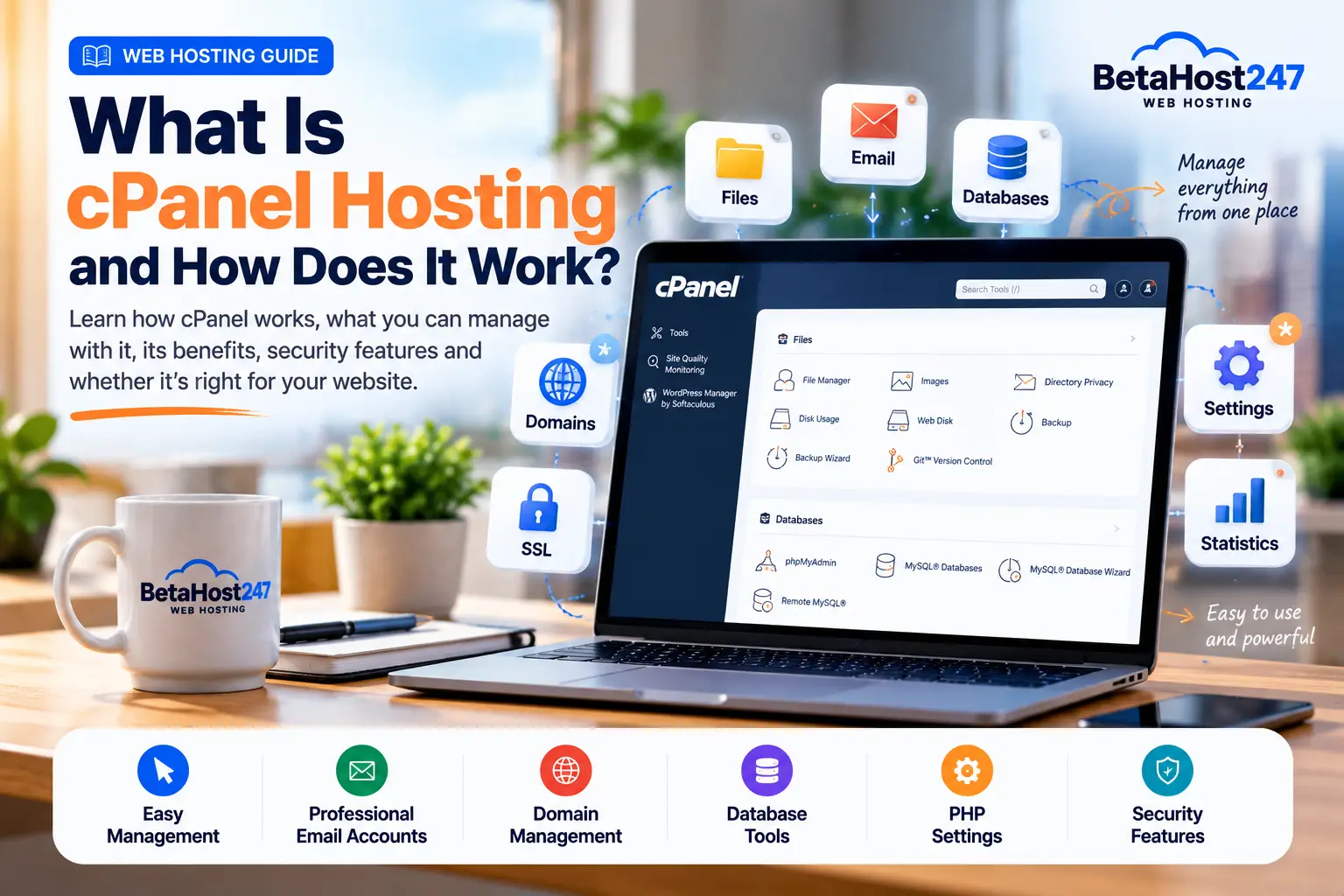
What Is cPanel Hosting and How Does It Work?
If you’ve been comparing web hosting plans, you’ve probably seen the term cPanel hosting.
But what exactly does it mean?
cPanel hosting is web hosting that gives customers access to cPanel, a graphical control panel used to manage websites, domains, email accounts, databases, files, SSL certificates and other hosting features from a web browser.
Instead of performing everyday hosting tasks entirely through command-line tools, cPanel provides an interface that makes many server and website management tasks easier.
This guide explains how cPanel hosting works, what you can do with cPanel, its advantages and limitations, and whether it’s suitable for your website.
What Is cPanel?
cPanel is a web-based hosting control panel.
It provides an interface through which hosting customers can manage many aspects of their hosting accounts.
Depending on the hosting provider’s configuration, cPanel may provide tools for managing:
- Website files
- Domains
- Subdomains
- Email accounts
- Databases
- SSL certificates
- PHP settings
- Cron jobs
- Backups
- DNS records
- FTP accounts
- Website statistics
- Security features
This makes it especially useful for website owners who don’t want to perform routine hosting tasks through a command line.
What Is cPanel Hosting?
cPanel hosting simply means a hosting service that uses cPanel as its customer-facing hosting control panel.
For example, when you purchase a cPanel shared hosting account, the hosting provider manages the underlying server while you receive access to cPanel for managing your individual hosting account.
You can then perform tasks such as uploading a website, creating an email address or managing a database without needing root access to the server.
It’s important to understand that cPanel itself is not web hosting.
It’s software used to manage a hosting environment.
The hosting provider still supplies the server infrastructure, storage, CPU, RAM, network connectivity and other resources.
How Does cPanel Hosting Work?
The process is relatively straightforward.
After purchasing a cPanel hosting package, your hosting provider creates a hosting account for you.
You receive login credentials or access through the provider’s customer portal.
After logging into cPanel, you’ll see different sections containing tools for managing the account.
The exact interface and available features can vary depending on the hosting provider’s configuration and cPanel version.
A typical workflow might look like:
Purchase hosting → Connect domain → Access cPanel → Upload/install website → Configure email and SSL → Manage website
The hosting company manages the server infrastructure while you manage your hosting account.
What Can You Do With cPanel?
One reason cPanel is widely used is that it brings many hosting-management functions into one interface.
1. Manage Website Files
cPanel normally provides a File Manager.
It allows you to perform tasks such as:
- Upload files
- Download files
- Create folders
- Rename files
- Delete files
- Edit certain files
- Change file permissions
- Extract compressed archives
For many basic website-management tasks, this means you don’t need a separate FTP application.
2. Manage Domains
Depending on the hosting package, cPanel can provide tools for adding and managing domains associated with your account.
You may be able to manage:
- Primary domain
- Additional domains
- Subdomains
- Redirects
- DNS-related settings
Remember that registering a domain and hosting a domain are different things.
If you’re new to this, read our guide on Domain Name vs Web Hosting.
3. Create Professional Email Accounts
Many cPanel hosting services provide email management.
This can allow you to create addresses such as:
Depending on the provider, cPanel may also provide tools for:
- Forwarders
- Autoresponders
- Spam filtering
- Email routing
- Webmail
- Email authentication
The exact features depend on the hosting environment.
4. Manage Databases
Dynamic websites often depend on databases.
WordPress, for example, uses a database to store much of its website content and configuration.
cPanel commonly provides tools for creating and managing:
- MySQL or MariaDB databases
- Database users
- Database permissions
It may also provide access to database-management applications such as phpMyAdmin.
5. Manage PHP Settings
PHP powers many popular websites and applications, including WordPress.
Depending on how your hosting provider configures cPanel, you may be able to:
- Select a PHP version
- Change PHP extensions
- Adjust certain PHP settings
- Review PHP-related configuration
However, available versions and settings depend on the server.
You shouldn’t select an older PHP version simply because an old application requests it without first considering compatibility and security.
6. Install SSL Certificates
SSL helps encrypt information transmitted between visitors and a website.
Modern websites should normally use HTTPS.
cPanel hosting environments can include tools that help manage SSL certificates.
Depending on the provider, SSL issuance and renewal may also be automated.
After SSL is configured correctly, your website can load using:
https://
instead of an unsecured HTTP connection.
7. Create FTP Accounts
FTP or related file-transfer protocols can be used to transfer website files between your computer and hosting account.
cPanel may allow you to create and manage FTP accounts.
For many website owners, File Manager is sufficient for occasional changes, while FTP/SFTP-style workflows may be more convenient when managing larger numbers of files.
8. Manage Backups
Depending on the provider’s configuration, cPanel may include backup-related tools.
However, this is important:
Seeing a backup feature inside cPanel doesn’t necessarily mean your hosting provider guarantees individual restore points.
Backup policies vary significantly between providers.
Always read your provider’s backup policy and maintain your own independent copies of important website data.
9. Create Cron Jobs
Cron jobs allow scheduled commands or scripts to run automatically.
They can be useful for tasks such as:
- Scheduled scripts
- Application maintenance
- Automated processing
- Certain backup routines
- Data synchronization
Incorrect cron jobs can consume excessive resources, so they should be configured carefully.
10. View Website and Resource Information
Depending on the configuration, cPanel can display information about:
- Disk usage
- Bandwidth
- Databases
- Email accounts
- Domains
- Resource usage
- Website statistics
This information can help identify when a website is approaching the limits of its hosting package.
What Is WHM?
You’ll often hear cPanel and WHM mentioned together.
They’re related, but they serve different purposes.
cPanel is primarily used by individual hosting-account customers.
WHM, or WebHost Manager, is used for higher-level hosting administration.
For example, a reseller hosting customer may use WHM to create and manage separate cPanel accounts for their clients.
A typical structure looks like:
Server → WHM → Individual cPanel accounts → Websites
The exact permissions available depend on whether the person is a server administrator or reseller.
Is cPanel the Same as WHM?
No.
Although they’re part of the same ecosystem, they provide different levels of control.
cPanel focuses on managing an individual hosting account.
WHM provides higher-level functionality for managing hosting accounts and server-related settings, depending on the user’s permissions.
If you’re simply hosting your business website, you’ll usually spend most of your time inside cPanel.
If you’re running a reseller hosting business, you’ll likely use both WHM and cPanel.
cPanel Hosting vs Regular Web Hosting
There isn’t really a separate technology called “regular hosting” that competes with cPanel.
cPanel is simply one way of managing hosting.
A hosting company can provide shared hosting using:
- cPanel
- DirectAdmin
- Plesk
- A proprietary control panel
- Another management interface
Therefore, when you see “cPanel hosting,” the provider is telling you which control panel is available.
The underlying quality of the hosting still depends on factors such as server resources, configuration, security, support and infrastructure.
cPanel vs DirectAdmin
cPanel and DirectAdmin are both hosting control panels.
Both can provide graphical interfaces for managing common hosting functions.
The interfaces and feature sets differ, but either can be used to manage websites successfully.
You shouldn’t choose a hosting provider solely because it uses one particular control panel.
Also consider:
- Server performance
- CPU and RAM limits
- Storage
- Support
- Security
- Backup policy
- Pricing
- Reliability
If you’re already comfortable with cPanel, however, choosing cPanel hosting can make migration and everyday management more familiar.
Is cPanel Good for WordPress?
Yes. cPanel is commonly used for hosting WordPress websites.
Depending on the hosting configuration, you can use cPanel to manage many parts of a WordPress hosting environment, including:
- Files
- Database
- PHP
- Domains
- SSL
- Backups
- Cron jobs
Some providers also include software installers that can simplify WordPress installation.
Remember that cPanel doesn’t optimize WordPress automatically.
Your WordPress theme, plugins, database, caching, images and configuration still affect performance.
Is cPanel Hosting Good for Beginners?
It can be.
One of cPanel’s biggest advantages is that it provides a graphical interface for tasks that could otherwise require more technical server knowledge.
A beginner can learn to:
- Upload files
- Create email accounts
- Add domains
- Create databases
- Install SSL
- Check resource usage
without administering the underlying server.
There is still a learning curve, but extensive documentation and tutorials are available because cPanel is widely used.
Is cPanel Hosting Secure?
cPanel can be part of a secure hosting environment, but security doesn’t depend on the control panel alone.
Security also depends on:
- Server configuration
- Software updates
- Account isolation
- Strong passwords
- Two-factor authentication where available
- Website software
- WordPress plugins/themes
- File permissions
- Malware protection
- Firewall configuration
- User behavior
A secure hosting environment can still be compromised if a website owner uses a weak password or installs vulnerable software.
Advantages of cPanel Hosting
Easy Management
Many common hosting tasks can be performed from a browser.
Familiar Interface
cPanel is widely used, so customers moving between cPanel-based hosts may already understand the workflow.
Website File Management
File Manager provides convenient browser-based access to website files.
Email Management
Domain-based email accounts can often be managed directly from cPanel.
Database Management
Database creation and management tools are integrated into the interface.
Domain Management
Domains and subdomains can be managed from the hosting account.
PHP Management
Providers can make PHP-management tools available through cPanel.
Are There Disadvantages to cPanel Hosting?
There can be.
Licensing Cost
cPanel is commercial software, and licensing contributes to the operating costs of a hosting service.
Too Many Options for Beginners
The interface contains many tools, some of which a new website owner may never need.
Limited Server-Level Control on Shared Hosting
Having cPanel doesn’t give a shared-hosting customer root access.
That’s intentional.
Server-level administration remains with the hosting provider.
Provider Configuration Matters
Not every cPanel host enables exactly the same features.
Always check what your particular hosting package includes.
How Much Does cPanel Hosting Cost?
There is no universal price for cPanel hosting.
Pricing depends on:
- Hosting type
- Storage
- CPU
- RAM
- Bandwidth
- Number of websites
- Support
- Server infrastructure
- Billing cycle
For example, cPanel shared hosting generally costs less than a VPS with a cPanel licence.
If you’re comparing prices, read our Web Hosting Cost in Nigeria guide before choosing solely based on the advertised amount.
Do You Need cPanel to Host a Website?
No.
A website can operate perfectly well without cPanel.
Servers can use other control panels or be administered directly.
cPanel is primarily a management tool.
Its advantage is convenience, especially for users who don’t want to manage everyday hosting functions through command-line interfaces.
Who Should Use cPanel Hosting?
cPanel hosting can be suitable for:
- Small businesses
- Bloggers
- WordPress users
- Web designers
- Developers
- Agencies
- Resellers
- Website owners who prefer graphical hosting management
The correct hosting package still depends on the resources your website requires.
What Should You Look for in a cPanel Hosting Provider?
Don’t choose based on the cPanel logo alone.
Look at the complete hosting service.
Consider:
- Server performance
- CPU and RAM allocations
- Storage
- Bandwidth
- SSL availability
- Security
- Backup policy
- Technical support
- Upgrade options
- Pricing and renewal costs
- Acceptable Use Policy
- Hosting-company reputation
Our guide on how to choose a web hosting company in Nigeria explains these factors in greater detail.
cPanel Hosting at Beta Host
Beta Host Limited provides cPanel-based hosting options for customers who want an established graphical interface for managing their websites.
Depending on the hosting package, customers can manage common hosting functions such as website files, databases, domains, email and PHP settings through the hosting control panel.
When selecting a package, consider your website’s resource requirements rather than choosing based solely on storage or price.
A smaller website may be suited to shared hosting, while more demanding applications may require additional resources.
Frequently Asked Questions
What does cPanel mean in hosting?
cPanel is a web-based control panel that provides tools for managing hosting accounts, including files, domains, databases, email and other features.
Is cPanel web hosting?
Not by itself. cPanel is software used to manage a hosting environment. The actual hosting service provides the server resources and infrastructure.
Is cPanel free?
cPanel is commercially licensed software. Hosting providers normally include the relevant control-panel access as part of their hosting service rather than requiring ordinary shared-hosting customers to purchase a separate licence.
Can I use WordPress with cPanel?
Yes. WordPress is commonly hosted in cPanel environments.
Can I create business email with cPanel?
Many cPanel hosting services allow domain-based email accounts to be created, although this depends on the hosting provider and package.
Can I change my PHP version in cPanel?
Many cPanel environments provide PHP-selection tools, but the versions and options available depend on the hosting provider’s server configuration.
Do I need cPanel for VPS hosting?
No. VPS servers can operate without cPanel. Some VPS customers choose cPanel because they prefer a graphical hosting-management environment.
Final Thoughts
cPanel hosting combines web hosting with one of the most widely used graphical hosting-management interfaces.
For website owners, its main benefit is convenience.
Instead of managing routine hosting tasks entirely through command-line tools, you can manage files, domains, databases, email, SSL and many other features through a web interface.
But don’t choose a hosting service based on cPanel alone.
Server resources, reliability, security, technical support, backup policies and scalability remain equally important.
Choose the hosting environment that fits your website, then use cPanel as the tool that helps you manage it effectively.